Review and approve job description
Before you can post a Job Description to internal or external job boards, it must be reviewed and approved.
If your approvers do not have access to StaffingManager:
- Open the Job Description.
- Click the copy to clipboard button.
- Open a blank document or email message.
- Press CTRL+V to paste the text from the clipboard to your document.
- Complete your normal process to save, attach and distribute the job description to approvers.

If you are ready to review and modify as needed:
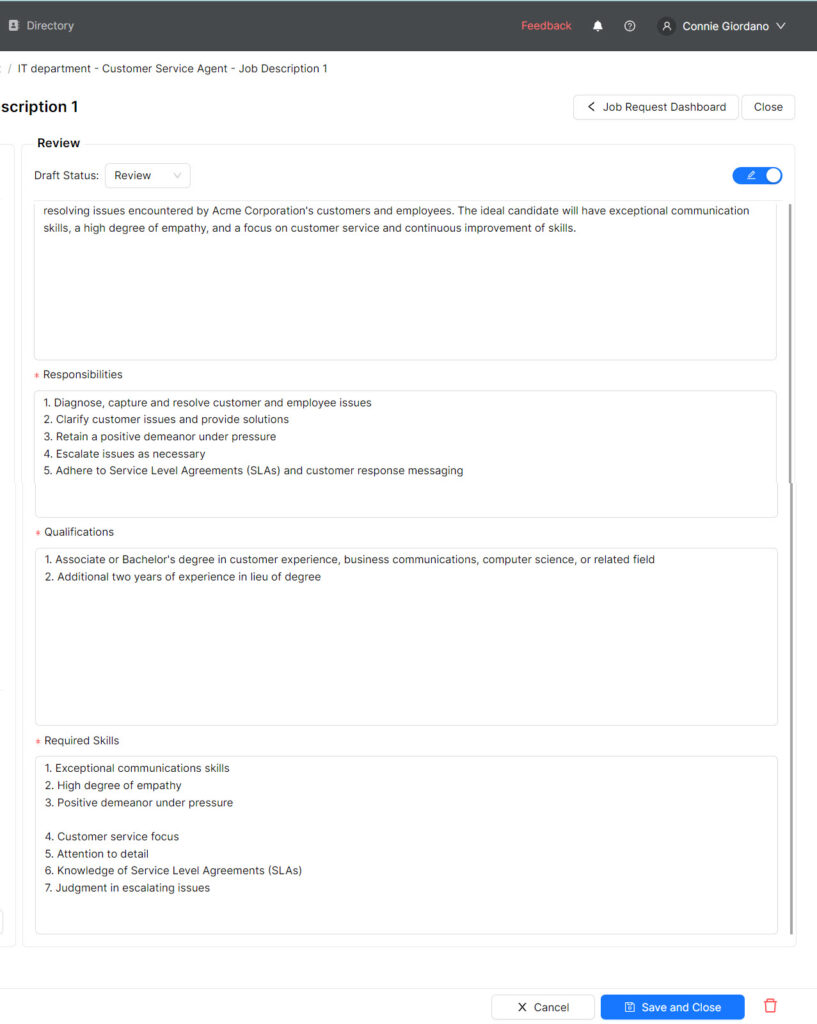
- Open the Job Description.
- Click the Review/Edit toggle.
- The Job Description refreshes to manual edit mode.
- Edit any of the sections as needed.
- Click the blue Save and Close button
NOTE: StaffingManager applies no formatting to the manual edits. You should enter the characters to indicate the sequence of items in each section.
To approve the Job Description:
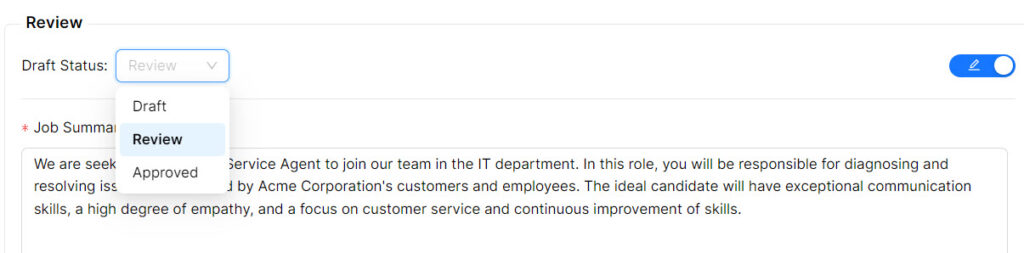
- Open the Job Description.
- Turn off the Review/Edit toggle.
- Click the blue Save and Close button at the bottom of the screen.
- StaffingManager returns to the Job Request screen.
- The Job Description Status changes to Approved.
- The Marketing Materials link in the Recruiting section enables.